
Your Marketing Dashboard
Built into your Home Watch website, it shows how your marketing is performing, whether Google and AI assistants are finding you, and every homeowner who reaches out. One login, everything in one place.
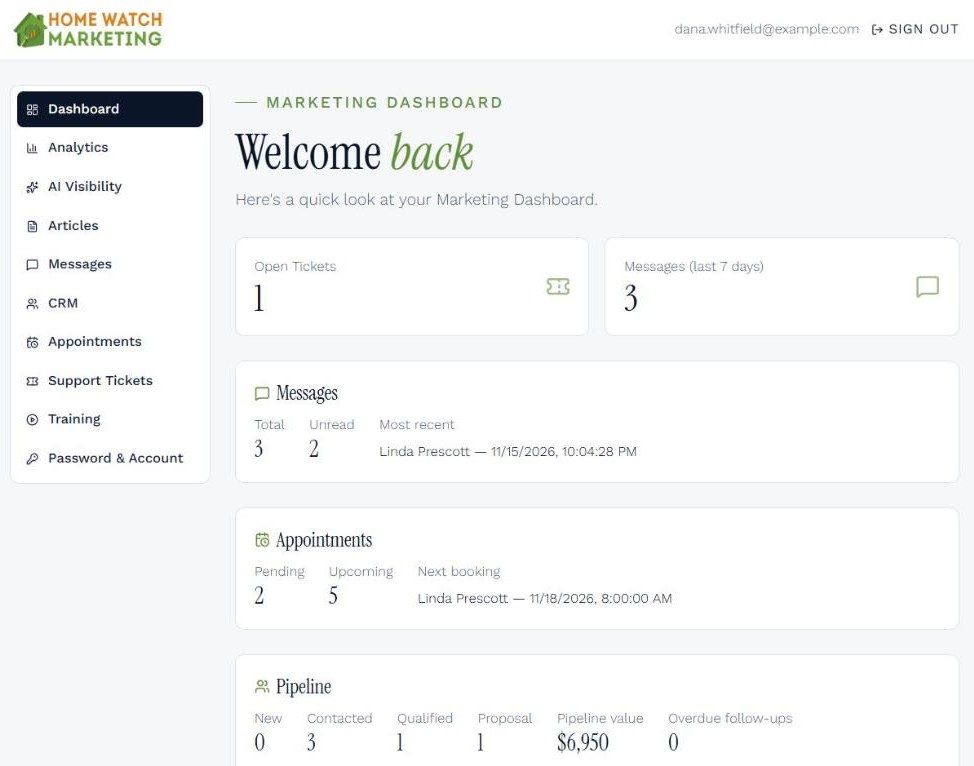
All screens on this page show a demo business with sample data.
Dashboard
Your week at a glance, the moment you sign in.
The first screen tells you what needs your attention, so you can check in for two minutes and get back to your clients' homes.
- New and unread messages, and who wrote most recently
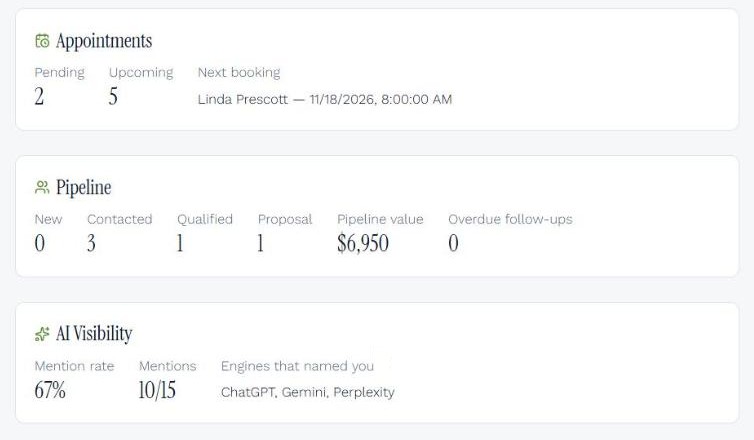
- Pending and upcoming appointments, with your next booking
- Your pipeline by stage, its total value and any overdue follow-ups
- How often AI assistants named your business this week
Performance
Analytics
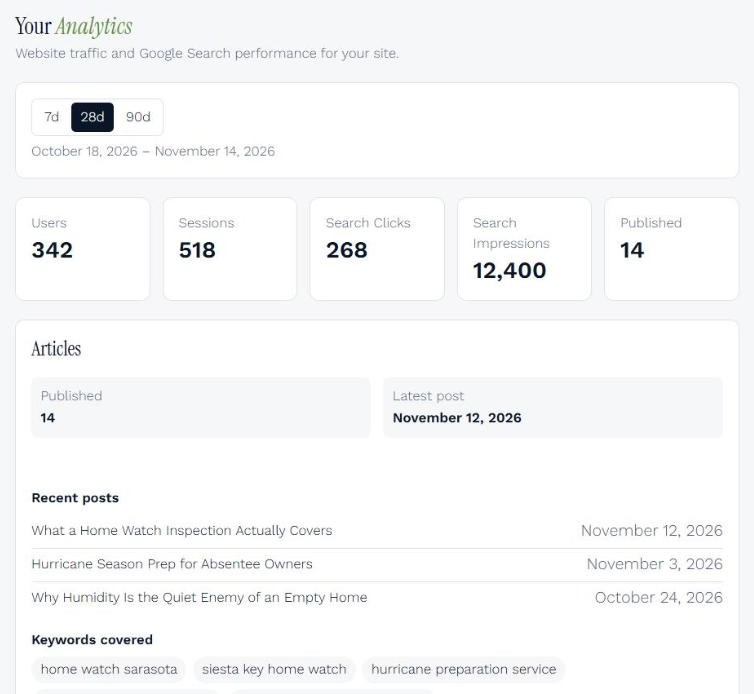
See how homeowners find and use your website.
Visitors, visits, how often your site appeared in Google search and how many people clicked through, for the last 7, 28 or 90 days. Your decisions come from what homeowners actually do, not guesses.
- Website traffic and Google search results side by side
- Your published articles and the search phrases they cover
- Set up and connected for you, with nothing to install
Visibility
AI Visibility
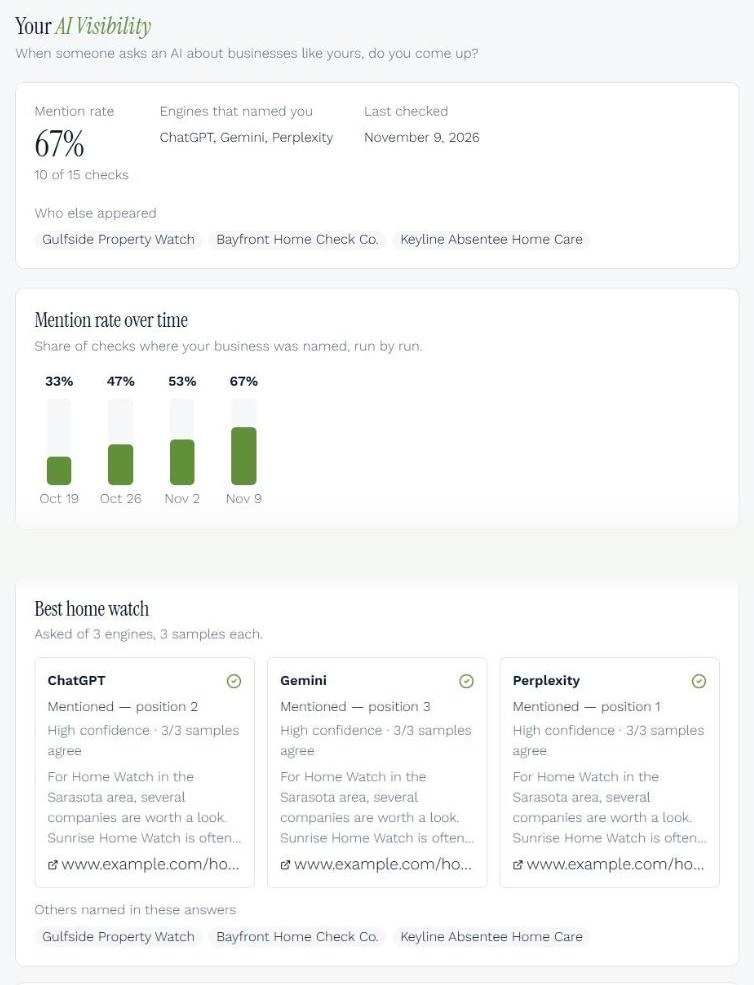
Find out whether AI assistants recommend your business.
Every week, ChatGPT, Gemini and Perplexity are asked the questions homeowners in your area ask, such as who the best Home Watch company is or who to hire while they're away. You see whether your business was named, where it ranked and who else appeared.
- Your mention rate this week and the trend over recent weeks
- Results for each question and each AI assistant
- The competitors homeowners are hearing about instead of you
Visibility
Articles
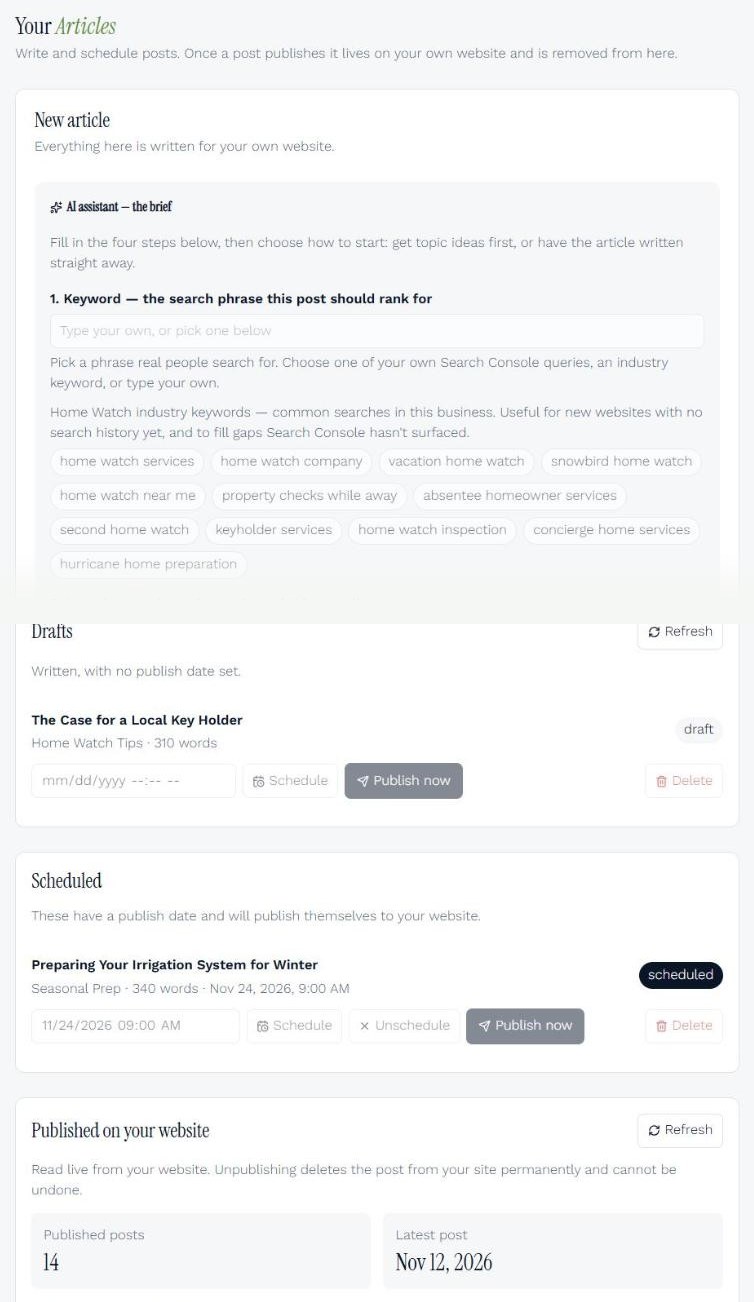
Publish articles for your website in your own voice.
An AI assistant helps you write articles around the phrases homeowners search and the towns you serve. Schedule them and they publish to your website on their own. Fresh, local articles help you show up in Google and AI search.
- Pick a search phrase and a location, and get a draft to edit
- Drafts, scheduled posts and published posts in one list
Client acquisition
Messages
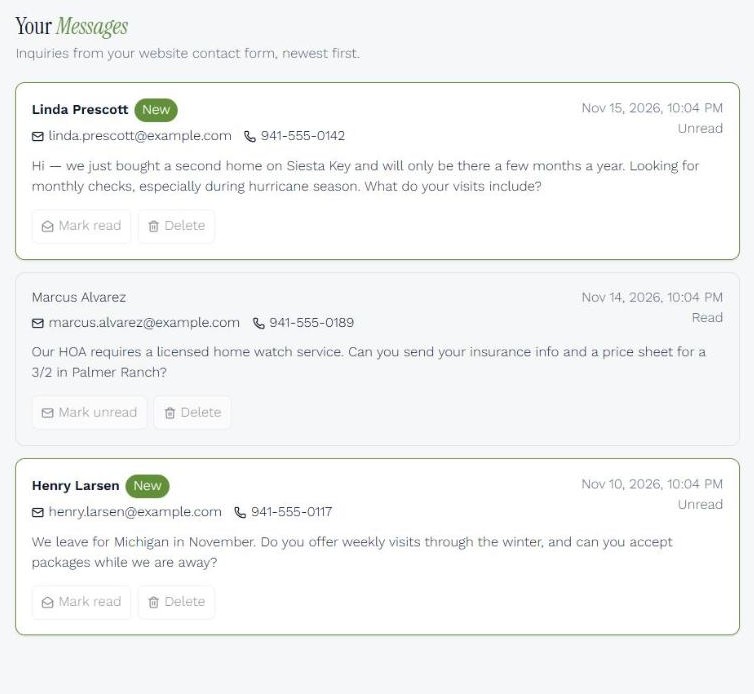
Every website inquiry in one inbox.
When a homeowner fills in the contact form on your website, it lands here with their name, email, phone number and message. The email you receive is the alert; your Marketing Dashboard keeps the record, so no inquiry gets lost.
Client acquisition
CRM
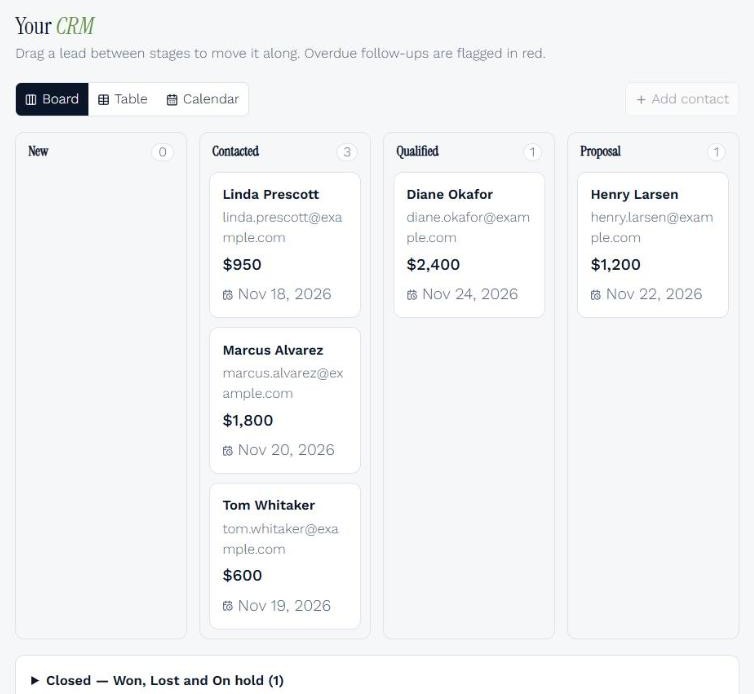
Follow every prospect from first inquiry to signed client.
Your CRM is the engine. It runs your day-to-day follow-up, and it's powered for growth. Website inquiries arrive as leads, and you move each one from New to Contacted, Qualified and Proposal.
- Board, table and calendar views of your leads
- Follow-up dates, with overdue ones flagged in red
- The value of every lead and your whole pipeline
Client acquisition
Appointments
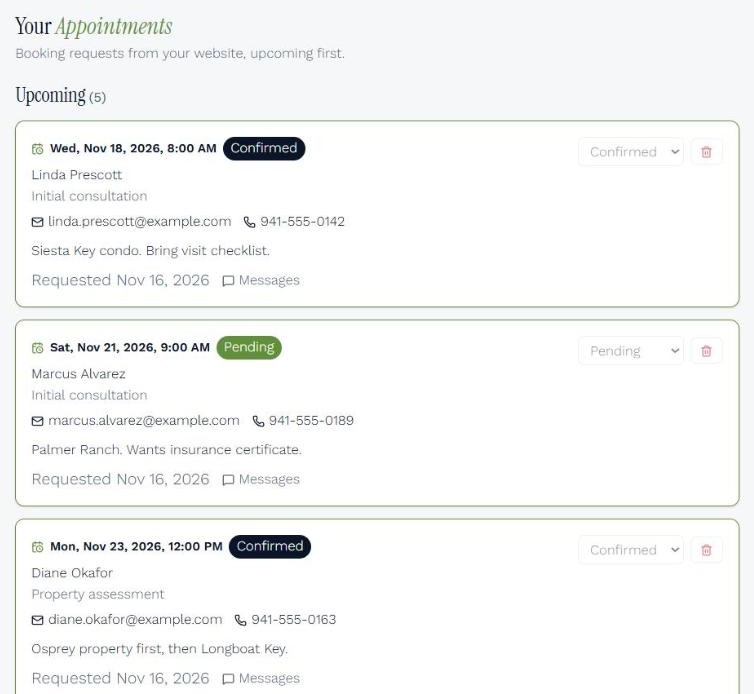
Booking requests from your website, ready to confirm.
Homeowners request a consultation or property assessment on your website while they're interested, even after hours. Each request shows their contact details and notes, and you mark it confirmed or completed.
Help and account
Support Tickets
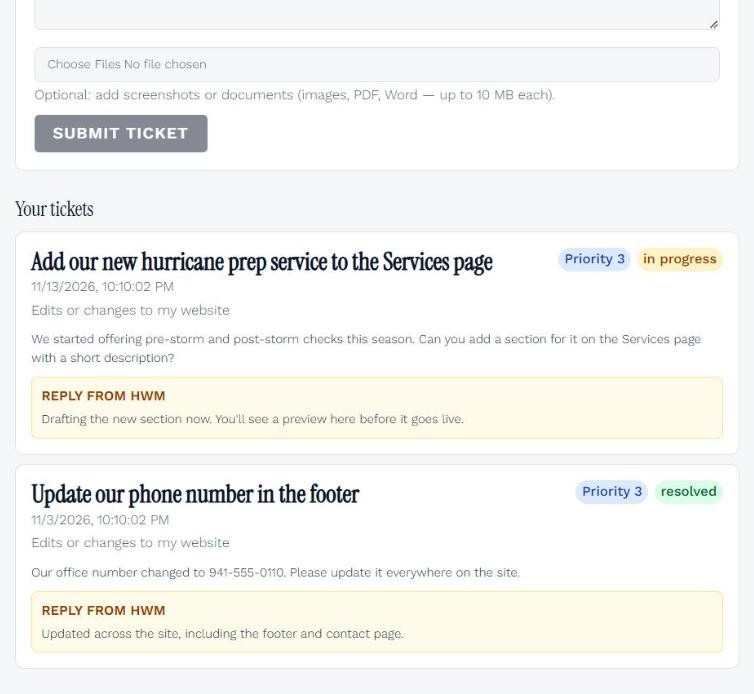
Ask us for website changes and track the answer.
Need a new service added or your phone number updated? Open a ticket, attach files, and follow our reply and progress in one place instead of an email thread.
Help and account
Training
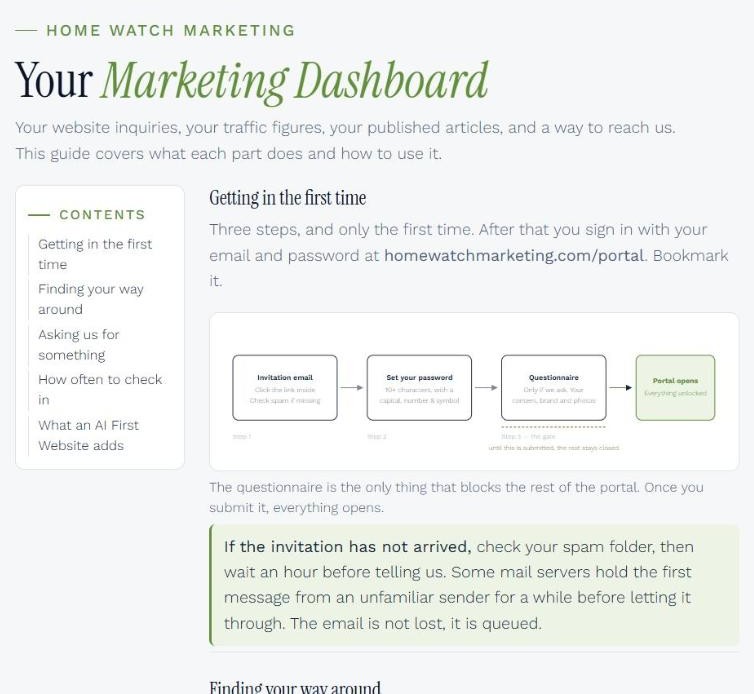
A plain-English guide to every screen.
Step-by-step instructions for each part of your Marketing Dashboard, from your first sign-in to the habits worth keeping each week.
Help and account
Password & Account
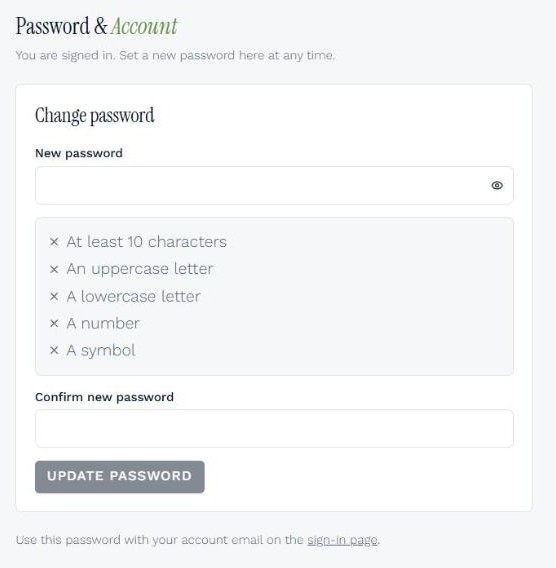
Your sign-in, under your control.
Change your password whenever you like.
See it with your own business in mind
Book a call and Glenn will walk you through the Marketing Dashboard and what it would track for your Home Watch business.
Book a call with Glenn